


Crossword Quest
4.77.48K Reviews
App Specs
- Version
- 2.4.0
- Updated On
- License
- Free
- Downloads
- 10,000,000+
- Developer
- Words Mobile
- Categories
- Word
- Platform
- Android, iOS
Screenshots
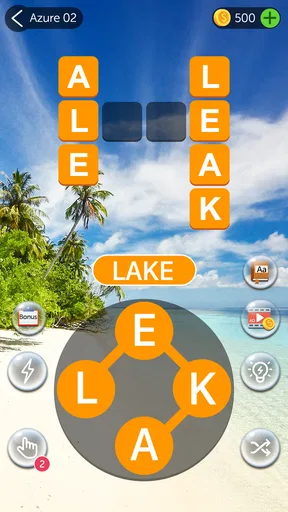
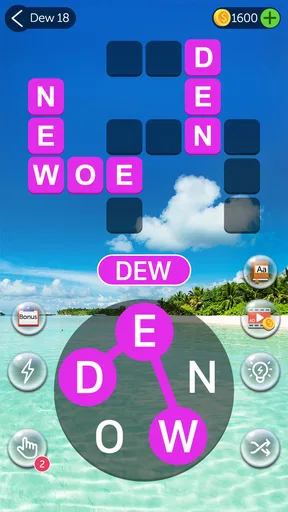
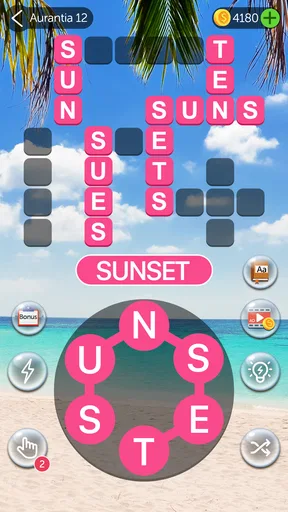
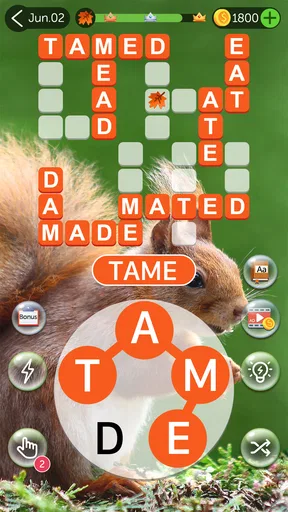
 Analysis by AppCompare
I tend to reach for a word puzzle when I have a few spare minutes but don’t want to start something that demands a long stretch of attention. Crossword Quest fits that small-break habit: I connect letters to make words, then use those words to fill a crossword-style grid. It gives me more direction than a free-form word search, while still leaving room to try combinations and think through what might fit.
That focused loop is the game’s main appeal, and also the thing to consider before downloading. If you enjoy spotting words from a group of letters, it is easy to settle into a level. If you want a traditional crossword with written clues, or a word game built around competing with other players, this is a different kind of experience.
A simple routine that rewards careful looking
At first, I can usually see a few likely words right away. The useful habit is not to swipe every combination that comes to mind, but to pause and look for letter patterns: a common ending, a vowel that could anchor a longer word, or a short word that may cross with others in the grid. That small change makes the puzzle feel less like random guessing and more like a manageable deduction task.
When I get stuck, I find it helps to stop focusing on the empty grid for a moment and scan the available letters from a different starting point. Trying a less obvious order can reveal a word I overlooked. I also avoid using a hint immediately. A brief reset often helps me notice a familiar combination on my own, which makes the eventual solve more satisfying.
This makes the game well suited to waiting rooms, a quiet break between tasks, or a short ride when I can look at the screen comfortably. I can play one puzzle without needing to remember a complicated story or plan a long session. For a commute where I may need to look up often, though, I would save it for a moment when I can give the letter grid my attention.
What the growing challenge changes
The early levels serve as a gentle introduction to the swipe-and-fill format. As the puzzles become harder, I have to do more than spot obvious words: I need to consider how the possibilities fit the spaces in the crossword. That gradual rise in difficulty is a better fit for a casual word game than a sudden jump that makes a player feel lost.
The game is described as having thousands of levels, so it has room to become a regular pastime rather than a one-evening novelty. I would still approach that scale as a reason to play at my own pace, not as a promise that every puzzle will feel entirely different. The core action stays familiar. The interest comes from the changing letter sets and the effort of finding words that work in each grid.
Worth Reading Before You Choose

EA SPORTS FC Mobile 26 Is a Bigger Football Game, but It Takes Time

Flipboard Shows What News Apps Must Do Beyond the Feed

Switching to Android Auto Means Rethinking Your Driving Routine

Google Calendar Makes a Crowded Week Easier to Manage

Ludo King Makes the Most of the Minutes Between Plans

Baby Panda World Brings Quick Play to Modern Phones, but Its Game Library Feels Busy
For someone who likes a clear sense of progress, filling the puzzle gives each level a tidy endpoint. For someone who wants a steadily expanding vocabulary, there is a caveat: recognizing and assembling words is not the same as getting a definition or an explanation. I enjoy it more as a pattern-finding exercise than as a structured way to study language.
How it compares with other word games
Compared with a standard crossword, this format asks me to make words from supplied letters rather than solve written clues. That lowers the barrier when I want a quick puzzle and do not feel like interpreting a clue, but it offers less of the knowledge-based satisfaction that traditional crosswords can provide. A conventional word search is more about locating words already laid out in a grid; here, I have to build the words and use them to complete the puzzle.
It also differs from word games centered on a timed contest or an opponent. I can concentrate on the puzzle at hand instead of worrying about another player’s pace. That makes it calmer, but not the best choice if friendly competition, shared play, or a daily head-to-head challenge is what keeps you interested. I would choose based on the mood I want: quiet deduction here, social pressure or clue-solving elsewhere.
First Impressions and Gameplay
From the moment I launched Crossword Quest, I was impressed by its clean and vibrant interface. It’s one of those games where you instantly feel at ease, thanks to its intuitive design. The game greets you with a simple menu that gets you straight into the action without any fuss. I love how it doesn’t overwhelm you with too many options or ads right off the bat. It’s all about getting those neurons firing!
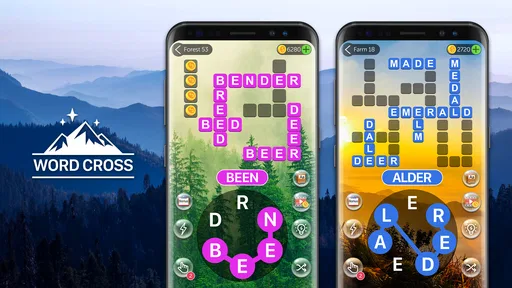
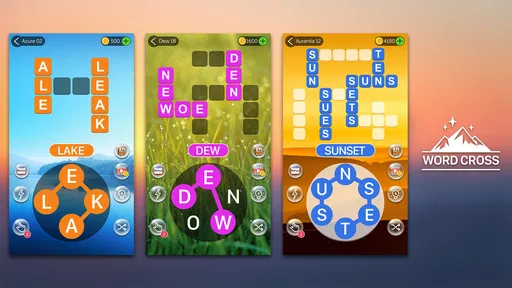
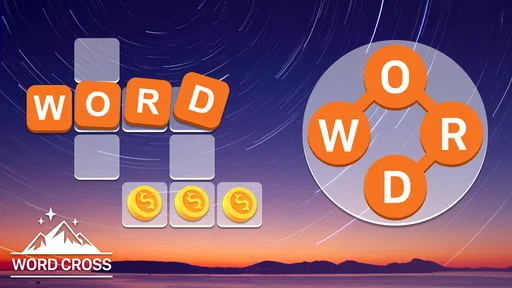
The gameplay is straightforward yet addictive. You’re presented with a grid of letters, and your job is to swipe through them to form words. The words you find fill in the crossword-style puzzle above. It’s a neat twist on your typical word search, combining elements of crosswords and word puzzles. I found myself quickly drawn in, eager to see how many words I could uncover.
Levels and Complexity
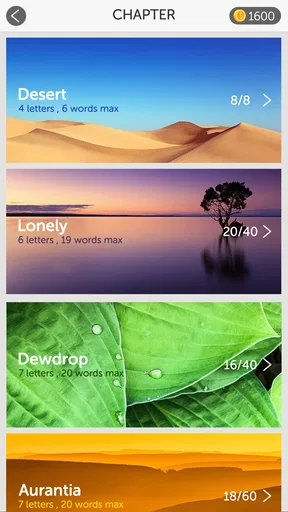
The game starts off easy, which is great for getting the hang of things. But don’t let that fool you! As you progress, the puzzles become more challenging, requiring a bit more thought and creativity. I appreciate the gradual increase in difficulty, as it keeps things interesting without being too frustrating. There’s a real sense of accomplishment when you tackle a particularly tricky level.
One of the features I really enjoy is the variety in puzzles. Crossword Quest offers thousands of levels, each with a unique set of words to discover. This means the game stays fresh longer, which is a huge plus for someone like me who tends to get bored easily.
Visuals and Sound
Aesthetically, the game is a treat. The colors are bright and inviting, making it a pleasure to play. The animations are smooth, and the overall look is quite polished. I also appreciate the little touches, like the subtle sound effects when you form words. It’s these small details that make the experience more engaging.
The background music is gentle and unobtrusive, which is perfect for a game like this. It sets a relaxing tone without distracting from the task at hand. If you’re someone who prefers to play in silence, you can easily mute the sound from the settings.
Spending and interruptions
Free-to-play is a useful starting point here: the game costs nothing to download, but optional in-app purchases range from $0.99 to $49.99 per item. I would treat purchases as a convenience rather than a requirement. Hints can help when I have genuinely exhausted my ideas, but using them too quickly takes away the small satisfaction of discovering the answer myself.
The original experience I describe below includes ads between levels and an option to remove them through a purchase. Ad frequency can affect how relaxing a puzzle feels, especially if I am trying to play several levels in a short break. If interruptions bother you, that is worth weighing before settling into a longer session. I would not buy hints just to rush through the game; the challenge is the point.
One practical approach is to decide in advance how much help you want to use. I try a fresh scan of the letters first, then consider a hint only if I am no longer enjoying the search. That keeps the game from turning into either a frustrating stall or a sequence of answers handed to me. It also makes any paid convenience easier to judge on its own merits.
Who will get the most from it
I would recommend it to people who like word searches and want a little more structure, or crossword fans who sometimes prefer solving without written clues. It can also suit someone who wants a low-commitment puzzle to pick up for a few minutes. The age rating is Everyone, so its general word-game format is approachable across age groups; younger players may still find later puzzles demanding and could enjoy working through them with someone else.
I would skip it if you mainly want a serious vocabulary-learning tool, detailed explanations of unfamiliar words, or a competitive multiplayer experience. It is also not my first choice when I want a traditional crossword’s clue-based reasoning. The game’s strength is the compact loop of finding letter combinations and completing a grid, rather than offering a broad set of word-game modes.
A realistic use case for me is a quiet coffee break: I open a level, try the likely words, and give myself a few minutes to finish without turning the break into a long commitment. If I do not solve it quickly, I can leave the game and return when I have more patience. That flexibility is more valuable than trying to play through as many levels as possible in one sitting.
Current version and the experience to expect
Words Mobile is the developer, and the current version is 2.3.9. The game first released on November 7, 2019, and runs on Android 6.0 or later. Those details place it as an established, ongoing word puzzle rather than a brand-new release. They tell me which version and platform baseline to look for, but do not by themselves show what changed between updates, so I would not assume a particular new feature or redesign.
For existing players, the practical question is whether the familiar letter-and-grid loop still suits their routine, not whether a version number alone guarantees a different style of play. If you are new, the current release is the one to judge: the straightforward entry and gradual increase in difficulty are the parts that shape the experience described here. I would keep expectations focused on that core rather than anticipate unconfirmed additions.
At a glance, the game has a 4.7 average from around 139,000 ratings, with over 10 million installs. That popularity suggests many people have found the format appealing, but it does not guarantee that its ad-supported rhythm or puzzle style will suit everyone. I would use the basic question—do I enjoy making words from a set of letters?—as a better guide than popularity alone.
It is free to play and rated Everyone, with optional purchases priced from $0.99 to $49.99 per item. I would keep that price range in mind if I am considering hints or other paid extras, especially if a child may use the device. The sensible choice is to try the basic puzzle loop first and spend only if a specific purchase would genuinely improve the way you play.
Visuals and sound
Aesthetically, the game is a treat. The colors are bright and inviting, making it a pleasure to play. The animations are smooth, and the overall look is quite polished. I also appreciate the little touches, like the subtle sound effects when you form words. It’s these small details that make the experience more engaging.
The background music is gentle and unobtrusive, which is perfect for a game like this. It sets a relaxing tone without distracting from the task at hand. If you’re someone who prefers to play in silence, you can easily mute the sound from the settings.
In-App Purchases and Ads
Like many free apps, Crossword Quest offers in-app purchases and features ads. However, I found the ads to be fairly unobtrusive. They usually pop up between levels, but they’re not overly frequent or disruptive. If you’re someone who’d rather play without interruptions, there’s an option to remove ads through a purchase.
The game also offers hints and other bonuses that you can purchase. While these can be helpful, I didn’t find them necessary to enjoy the game. It’s entirely possible to progress without spending a dime, which is great for those of us on a budget.
Final Thoughts
Overall, Crossword Quest is a fantastic addition to any word game lover’s collection. It’s engaging, challenging, and beautifully designed. Whether you’re killing time on your commute or just looking to flex your mental muscles, this app has something to offer.
So, if you’re ready to dive into a world of letters and words, give Crossword Quest a try. Trust me, it’s a journey worth taking. Happy puzzling!
Pros
- Engaging and challenging puzzles.
- User-friendly interface.
- Daily puzzle updates.
- Offline play available.
- No intrusive ads.
Cons
- Limited free hints.
- Repetitive background music.
- Requires internet for updates.
- Occasional loading delays.
- In-app purchases can be pricey.
FAQs for Crossword Quest
What is Crossword Quest and how does it work?
Crossword Quest is a word puzzle game available for Android and iOS. Players are presented with a grid where they must connect letters to form words. The game features multiple levels, each increasing in difficulty, and aims to enhance vocabulary and cognitive skills. It's a perfect blend of fun and learning.
Is Crossword Quest free to download and play?
Crossword Quest is free to download and play, but it does contain in-app purchases. These purchases can help unlock additional levels or remove ads. While the core gameplay is accessible without spending money, some players may choose to make purchases to enhance their experience.
Does Crossword Quest require an internet connection?
No, Crossword Quest does not require a constant internet connection. Players can enjoy most of the game offline, making it ideal for travel or areas with limited connectivity. However, some features, such as updates or in-app purchases, may require an internet connection.
Are there any ads in Crossword Quest?
Yes, Crossword Quest does feature ads, which help support the free version of the game. These can appear between levels or as banners. Players who find ads disruptive have the option to remove them through in-app purchases, providing a smoother gaming experience.
How accessible is Crossword Quest for different age groups?
Crossword Quest is designed to be accessible for a wide range of ages. The early levels are simple enough for younger players, while advanced levels challenge even seasoned word enthusiasts. The game is an excellent tool for improving vocabulary and language skills, making it suitable for both kids and adults.


